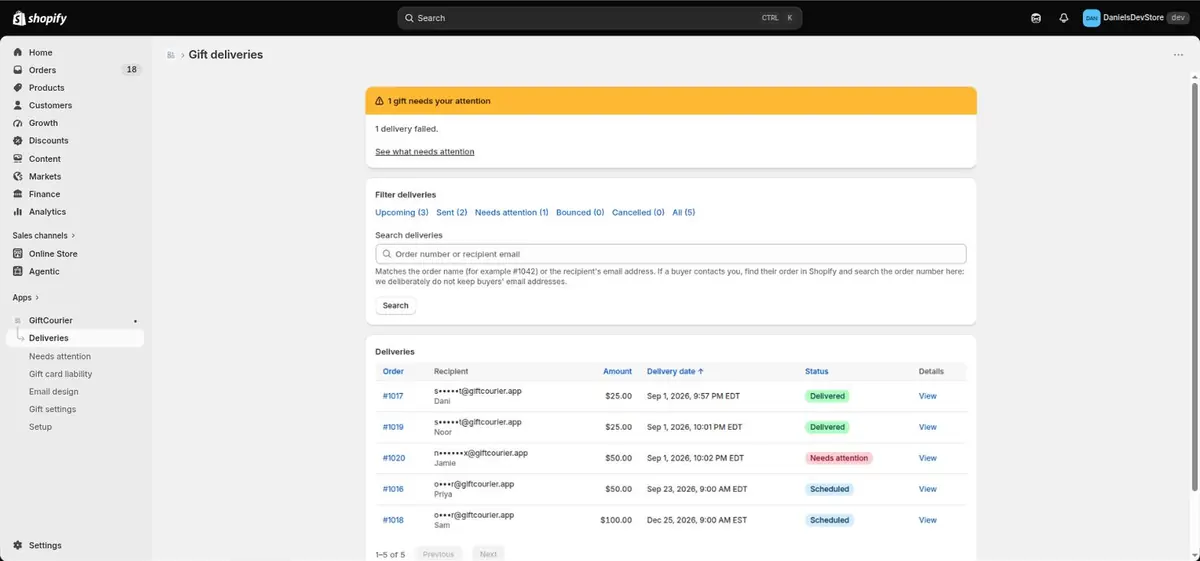
Scheduling is the easy part
Shopify can schedule a gift card up to 90 days out. Scheduling is not the hard part, and we do it too: your buyer picks any date up to a year out, right on the product page.
The hard part is December. Volume triples, an address bounces, a send fails quietly, and nobody finds out until the recipient emails asking where their present is.
GiftCourier is built around that half of the job.
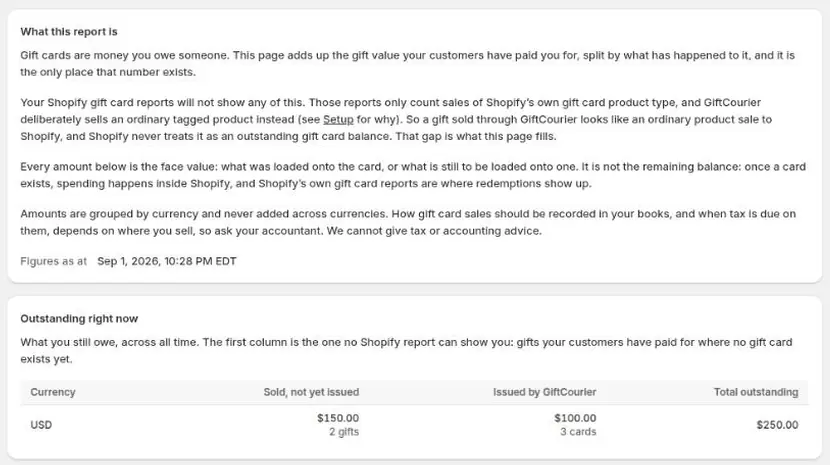
Gift card liability
What you owe, ready for month end
Your bookkeeper asks what you owe in outstanding gift cards, and Shopify's report cannot tell them: it counts sales of Shopify's own gift card product type, and it counts nothing for a gift that has been paid for but not yet issued.
Because we hold the delivery until the send date, we can tell you what your customers have paid for but not yet received, which is the number Shopify's own report leaves out.
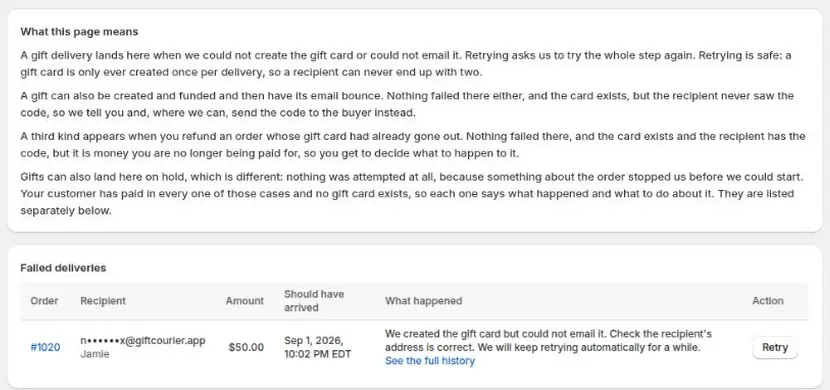
Needs attention
Every failed send in one queue
Every delivery has a status you can see. Anything that fails lands in one queue with the reason and a one-click fix.
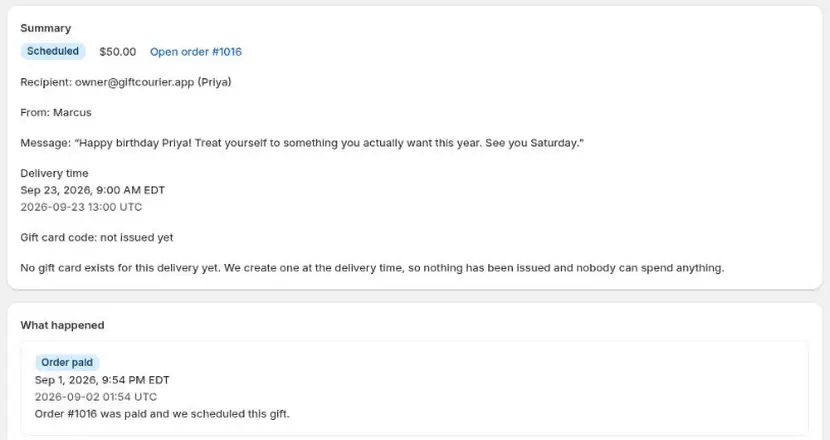
Created on the send date
The card is not created until that morning
A refund before the send date leaves nothing spendable behind, because nothing was ever issued. Shopify's own gift card product creates the card when the order is fulfilled, which by default is the moment it is paid.
Inside the app
A closer look
How it works
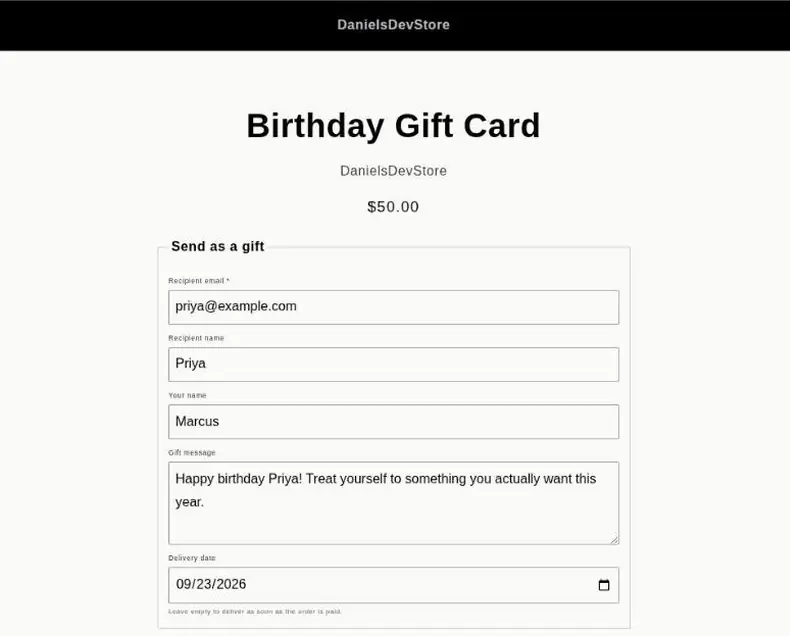
- Tag a product. Any ordinary product you tag becomes giftable. GiftCourier adds recipient, message and date fields to its page through a theme block, so it matches your storefront.
- Your buyer picks a date. Anything up to 365 days ahead. They add a message and the recipient's email address on the same page, and it rides along with the order like any other line item.
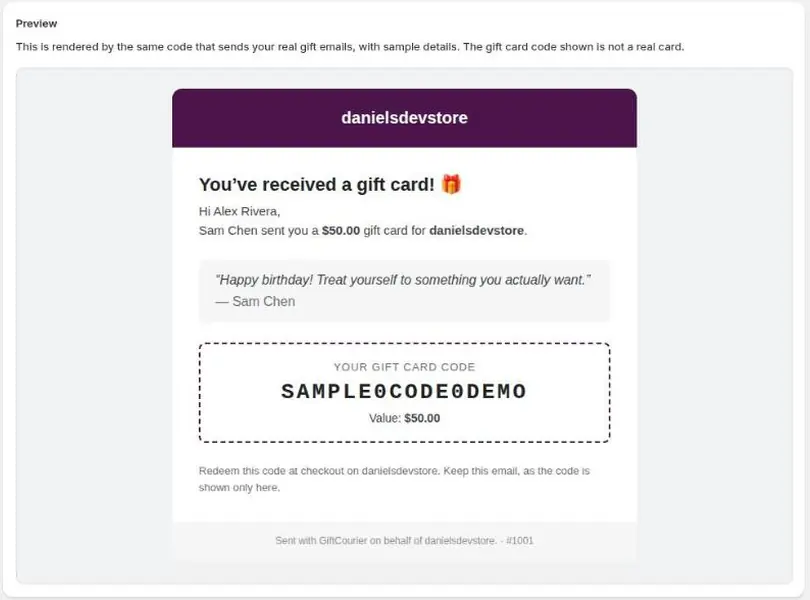
- We deliver on the day. The gift card is created that morning and emailed to the recipient, branded as your store. You get a list of everything scheduled and an alert if an address bounces.
What you get
- Every failed send in one queue, with the reason and the fix on the same screen
- Outstanding gift card liability, including value sold but not yet issued, ready for month end
- Real Shopify gift cards, so uninstalling us leaves every issued card working
- Buyers choose a delivery date on the product page, up to 365 days ahead
- The card is created on the send date, so an early refund costs you nothing
- Your logo, your accent colour and your store name, not a generic email template
- $9.99 a month, flat. No percentage of sales, no per-order fee, no loyalty suite attached
Pricing
Free
$0
Five gift cards a month. Every feature included.
Best value
Standard Annual
$8.25 a month
Unlimited gift cards. Billed $99 a year, which is 17% less than paying monthly.
Standard
$9.99 a month
Unlimited gift cards. Free for your first 30 days.
Every plan has every feature. The only thing that changes is how many gift cards you can send.
Go past your monthly allowance and the sale still goes through. The gift is held rather than sent, we email you the first time it happens in a month, and you can release it by moving up a plan, wait for the allowance to reset, or cancel and refund it. Your buyer is never turned away at checkout.
Questions before you install?
The FAQ covers refunds, bounces, resends and what happens if you uninstall. If it is not there, email us and a person will answer.